Server settings
Prefix and default volume
Change Musico's text-command prefix with /setprefix and the volume it starts at in your server with /defaultvolume.
Change the prefix
Musico's main commands are slash commands, but it also responds to text commands that start with a prefix. The default prefix is . (a full stop):
.play never gonna give you up
To change the prefix in your server:
/setprefix <new prefix>
for example /setprefix !. A prefix can be up to 5 characters. You can also change it under Settings → General Configuration → Command Prefix in the dashboard.
Pick a prefix that doesn't clash with other bots in your server.
Set the default volume
/defaultvolume <1-100>
Sets the volume Musico starts at in your server. It's a good way to stop the bot from being too loud when it joins. /volume still changes the volume while a song is playing. See Playback controls.
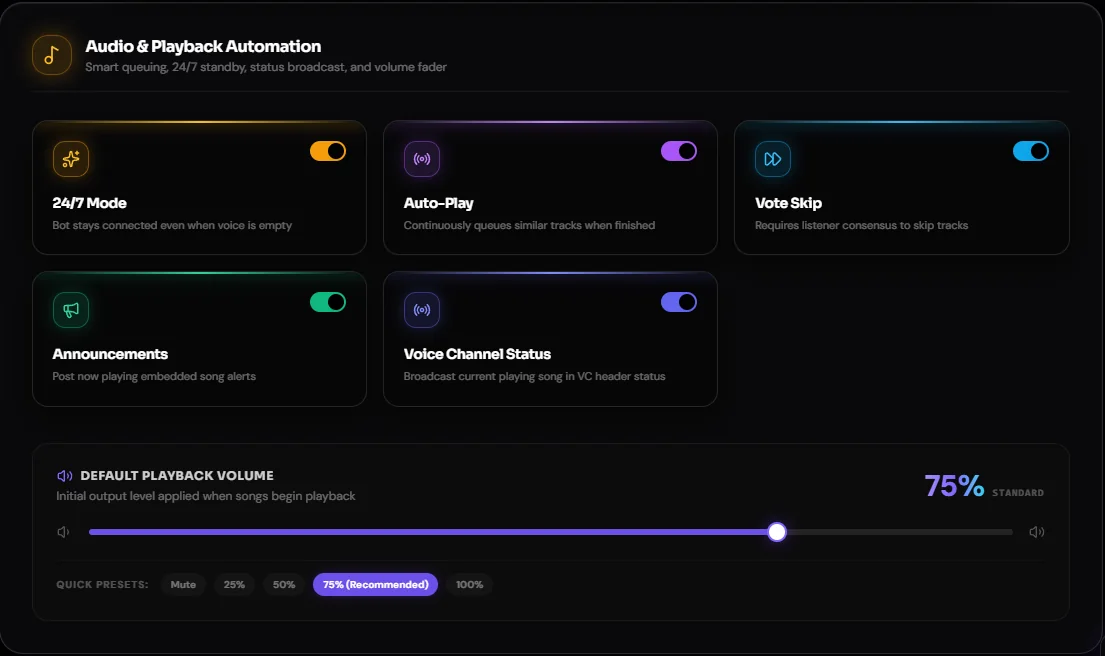
In the dashboard, the Default Playback Volume setting has presets for Mute, 25%, 50%, 75% (recommended) and 100%.
Still stuck? Ask in the Musico support server.