Server settings
DJ mode and DJ roles
Stop random members from skipping songs. Set a DJ role with /setdj, turn on /djmode, and see which commands are DJ-only with /djcommands.
In a busy server, anyone being able to skip songs or blast the volume gets old fast. DJ mode hands control of the music to a role you trust, while everyone else can still listen. DJ mode is free.
Set it up
- Choose a DJ role. Create a role called "DJ" in Server Settings → Roles if you don't have one, and give it to the people who should control the music.
- Tell Musico which role it is:
for example/setdj <@role>/setdj @DJ. - Turn DJ mode on:
/djmode on
That's it. Commands on the DJ list are now limited to members with the DJ role.
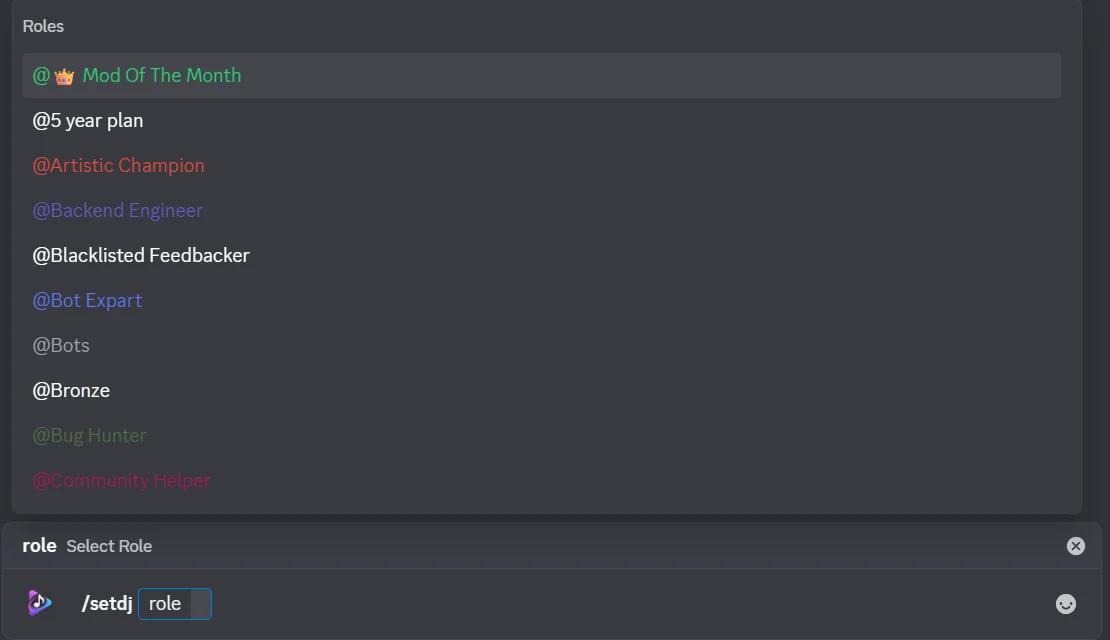
When you run /setdj, Discord lists your server's roles to choose from:
Choose which commands are DJ-only
In the dashboard, Settings → DJ Command Permissions shows every command in two lists:
- Standard Commands: anyone in the voice channel can use them.
- DJ-Only Commands: they need the DJ role.
Click + DJ on a command to make it DJ-only, or ← Public to open it to everyone again. Move all to DJ and Make all public change every command at once, the search box and the All / Music / Filters / Playlist tabs help you find commands, and Reset Defaults restores Musico's default list.
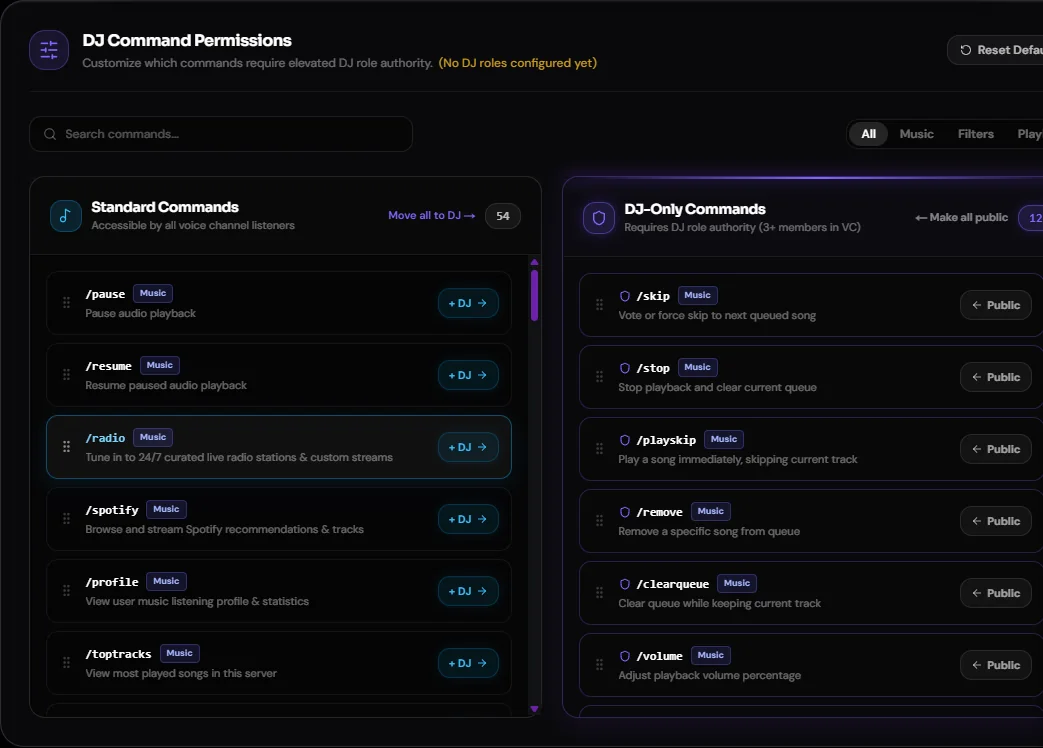
DJ-only restrictions apply when 3 or more members are in the voice channel. In a small session, anyone can control the music.
See which commands are DJ-only
/djcommands
Lists every command that is restricted when DJ mode is on.
What other members can still do
Members without the DJ role can still listen, and use any command that isn't on the /djcommands list.
Turn DJ mode off
/djmode off
Set it from the dashboard
You can also pick DJ roles under Settings → General Configuration → DJ Roles in the dashboard.
Combine with other controls
- Restrict channels: limit which channels Musico works in.
- Vote Skip in the dashboard: make skipping a group decision instead.
- Music panel: give everyone buttons in one fixed channel.
More on the DJ roles feature page.
Still stuck? Ask in the Musico support server.