Playing music
Loop a song or the whole queue
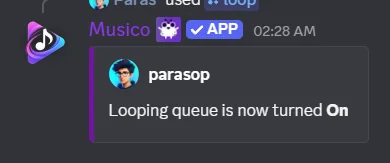
Use /loop to repeat the current song, repeat the whole queue, or turn repeat off.
/loop sets Musico's repeat mode.
/loop <song|queue|off>
| Mode | What happens |
|---|---|
song | The current song repeats until you change the mode |
queue | When the last song ends, the whole queue starts again from the top |
off | Normal playback: each song plays once |
Examples
- Practising a song or on repeat with friends:
/loop song - An evening playlist that shouldn't end:
/loop queue - Back to normal:
/loop off
/skipdoesn't work while/loop songis on, because the same song is set to repeat. Run/loop off(or/loop queue) first, then skip.
Loop vs autoplay vs 24/7
These three are often confused:
| Feature | What it does |
|---|---|
| Loop | Repeats songs you queued |
| Autoplay | Adds new, similar songs when your queue runs out (Premium Silver+) |
| 24/7 mode | Keeps Musico in the voice channel even when nothing is playing (Premium Silver+) |
For a nonstop radio channel, combine /loop queue or autoplay with 24/7 mode.
Still stuck? Ask in the Musico support server.