Premium
Manage your Premium subscription
How to buy Musico Premium, check your status with /premium, use it on your servers, and upgrade, downgrade or cancel through Patreon.
Musico Premium is sold and billed through Patreon.
Buy Premium
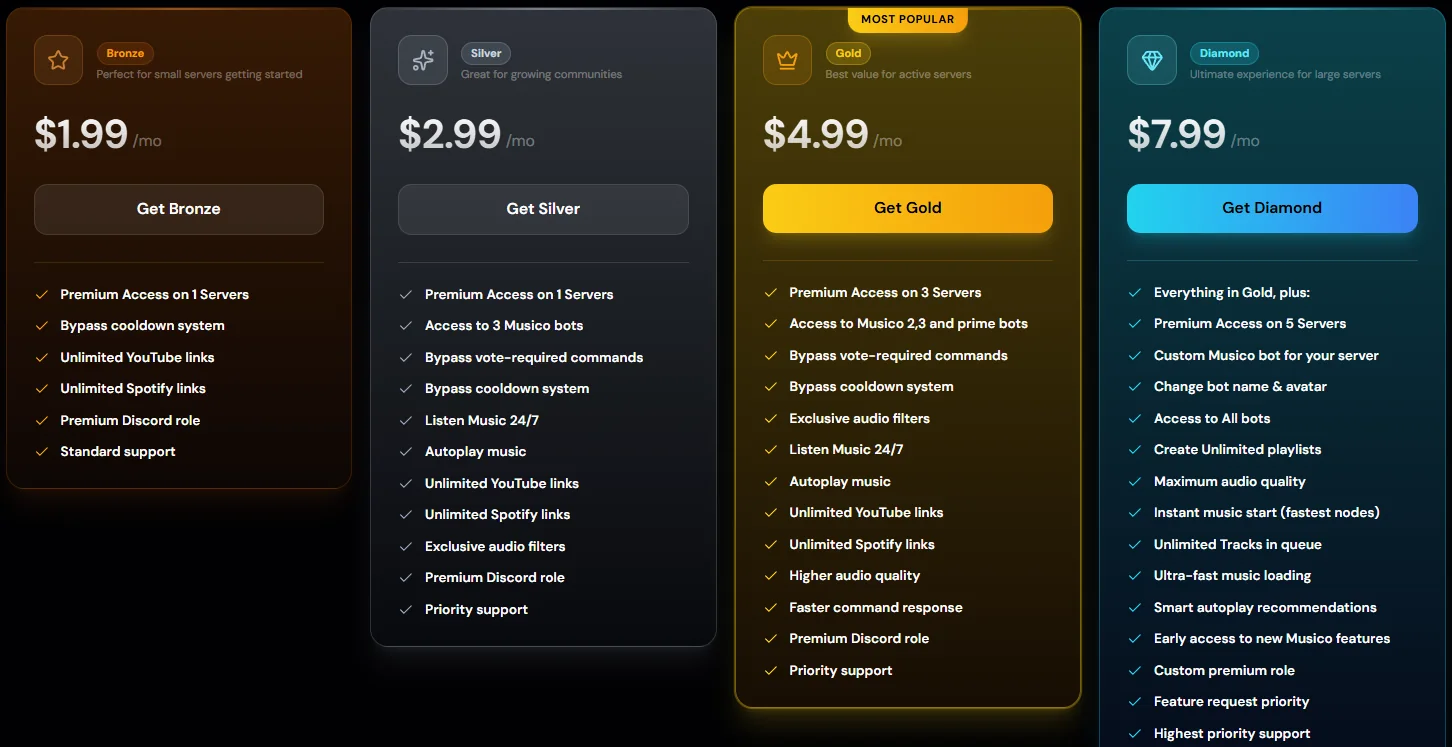
- Open the Premium page and choose Monthly or Yearly.
- Click Get on the plan you want. You're taken to Patreon's checkout.
- Complete the payment on Patreon.
Link Patreon to your Discord account
Musico finds your subscription through the Discord account connected to Patreon. Do this before activating, or Musico can't see that you've paid.
- Open Patreon's Discord connection settings (Patreon → Settings → Connected apps → Discord).
- Click Connect and log in with the same Discord account you use with Musico.
- Approve the connection.
Paid with a different Discord account connected? Disconnect it on that page and connect the right one.
Activate Premium on a server
Your plan comes with a number of server slots: 1 for Bronze and Silver, 3 for Gold, 5 for Diamond. Activating Premium on a server uses one slot. You can do it in Discord or on the website.
In Discord
- Go to the server you want Premium on.
- Run:
/premium - Musico shows a Membership Overview and Server Activation Details. Click Activate Premium to use one of your slots on this server.
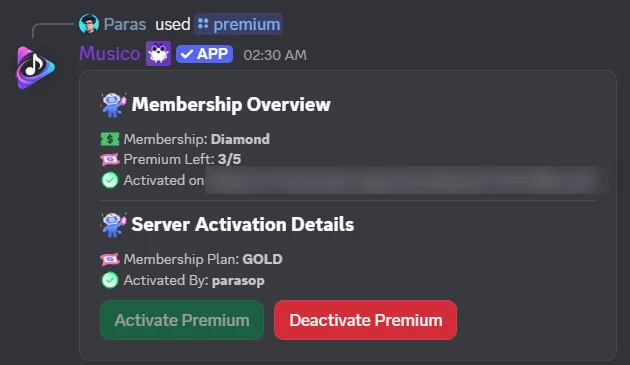
| Field | Meaning |
|---|---|
| Membership | Your plan |
| Premium Left | Free slots out of your total, for example 3/5 |
| Activated on | Servers where you've used a slot |
| Membership Plan (under Server Activation Details) | The Premium plan active on this server |
| Activated By | Who activated Premium on this server |
On the website
- Log in at musicobot.xyz, click your avatar and open Profile.
- Your Premium Slots card shows how many slots you have, and the membership card lists your Active Servers.
- Click Activate on Server (it shows how many slots are left), pick the server and confirm.
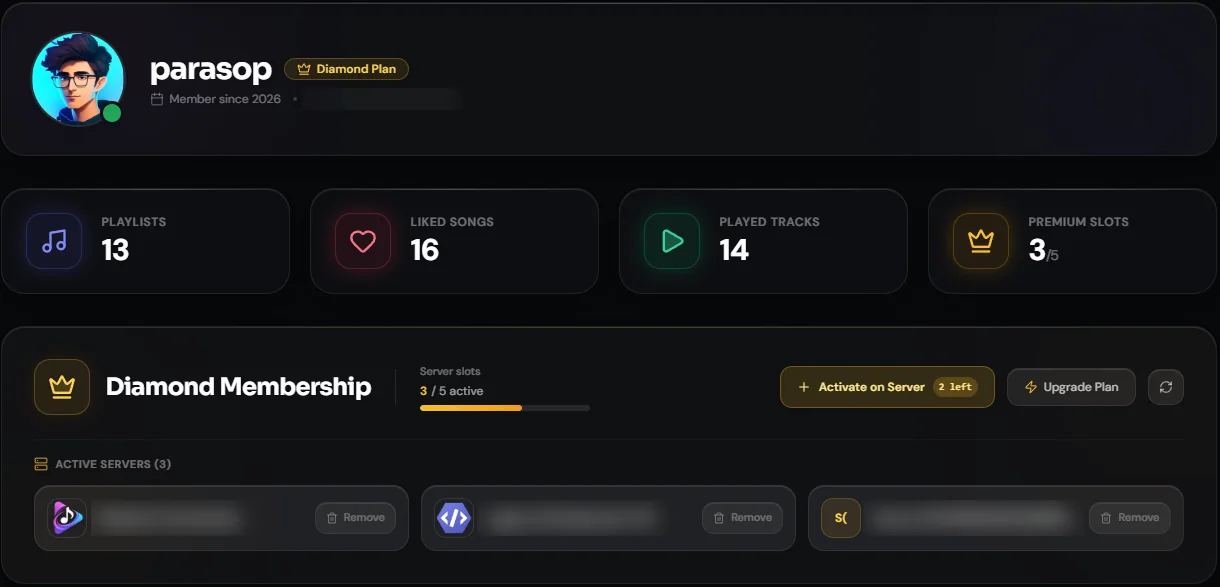
Upgrade Plan takes you to the Premium plans, and the refresh button reloads your membership if you've just paid.
Move Premium to a different server
Deactivate Premium on a server you no longer need:
- In Discord: run
/premiumin that server and click Deactivate Premium. - On the website: on your Profile page, click Remove next to the server under Active Servers, and confirm.
The slot is freed straight away, and you can activate it on another server.
Upgrade or downgrade
You can move between Bronze, Silver, Gold and Diamond at any time from the Patreon dashboard. Upgrades are prorated: you only pay the difference.
Cancel
Open your Patreon memberships, select MusicoBot and cancel. Everything is managed from the Patreon dashboard in a few clicks.
Need help with billing?
Ask in the Musico support server. Premium members get priority support.
Still stuck? Ask in the Musico support server.