Audio filters
Bass boost
Make the bass deeper and stronger with /bassboost. Choose low, medium or high, and reset with /clearfilters.
/bassboost strengthens the low frequencies, making kicks and basslines hit harder. It's the most popular filter for parties and gaming sessions.
/bassboost <mode>
Pick a mode from the list Discord shows:
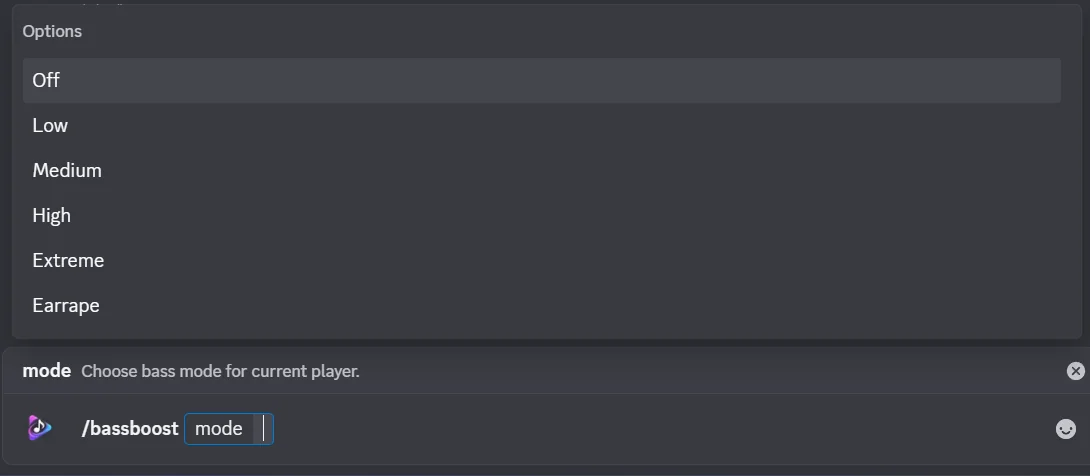
| Mode | Sounds like | Good for |
|---|---|---|
| Off | Bass boost turned off | Going back to normal |
| Low | A gentle lift to the low end | Most music, long listening sessions |
| Medium | Noticeably punchier bass | Hip-hop, EDM, parties |
| High | Heavy, booming bass | When you really want it loud |
| Extreme | Very heavy bass, likely to distort | Short bursts only |
| Earrape | Deliberately overloaded and distorted | Memes. Warn your listeners first |
Musico confirms with a Filter Applied message; allow up to 5 seconds for it to kick in.
Tips
- Start low. High and above can distort songs that already have a lot of bass, and they're tiring to listen to for a long time.
- Turn it off with
/bassboost Off, or with/clearfilters, which also removes any other filters you've applied. - Bass boost changes the sound for everyone in the voice channel. Listeners who find it too much can lower Musico's volume just for themselves with Discord's User Volume slider (right-click Musico in the voice channel).
Related
Still stuck? Ask in the Musico support server.