Audio filters
Nightcore, vaporwave, slowmode and timescale
Musico's speed and pitch filters: /nightcore for faster and higher, /vaporwave for slower and lower, /slowmode to slow down without changing pitch, and /timescale.
These filters change how fast the music plays and how high or low it sounds.
Nightcore
/nightcore
Speeds the track up and raises the pitch, giving the energetic, high-pitched "nightcore" sound popular with anime and gaming communities.
Vaporwave
/vaporwave
Slows the track down and lowers the pitch, for a dreamy, retro vaporwave mood. Great for late-night or chill channels.
Slowmode
/slowmode
Slows the playback down without changing the pitch, so voices still sound natural. Useful for slowed-down edits, or for following along with a song you're learning.
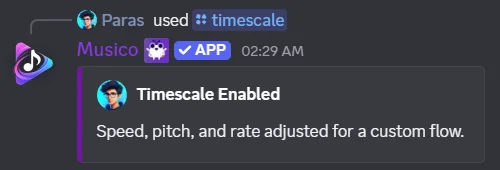
Timescale
/timescale
Changes the speed, pitch and rate of the music together, for a sped-up, pitched effect. It needs no options: just run the command.
Reset
Use /clearfilters to return to normal speed and pitch. It also removes any other filters you've applied.
See all audio filters.
Still stuck? Ask in the Musico support server.